About the Project
Tools
Figma, FigmaAI, Miro, Chatgpt,
In Starbucks stores, employees often need to locate and reprint receipts for customers after a transaction has already been completed. The current POS system makes this process harder than it should be, requiring employees to navigate through multiple steps and screens to find past purchases. This project explores how the receipt lookup experience could be redesigned to make finding and reprinting past transactions faster and more intuitive for store employees.
Role
User Experience Designer
Overview
Redesigning the Starbucks POS receipt system to make it easier for employees to find and reprint past transactions.
CONTEXT
Timeline
6 Weeks, Winter 2026
Preview
Let’s see how I got here 👇🏻
The Problem
Starbucks baristas experience difficulty locating receipts quickly and efficiently within the POS system .
Starbucks employees need to locate and reprint receipts for a variety of reasons, such as returns, expense tracking, or when a customer simply forgot to ask for a receipt. During busy store hours, employees need to resolve these requests quickly without disrupting the checkout process.
The Goal
The goal of this project was to redesign the Starbucks POS receipt system to help baristas locate transactions, reducing service delay, allow access to mobile/delivery receipts, and improving both customer experience and store operations.
“How Might We’s"
How might we reduce the average receipt retrieval time?
How might we reduce reliance on leaders for access to receipts?
How might we reduce the number of taps required to access receipts?
How might we improve employee satisfaction with the receipt lookup experience (based on qualitative feedback)?
Getting Started
Understanding the User
On approaching this problem, it was important to gain a better understanding of how Starbucks employees interact with the POS system when locating and reprinting receipts. I conducted 6 interviews with Starbucks employees who regularly work at the register. I also observed gained contextual inquiry.
The goals were to:
Understand when and why employees need to locate past receipts
Learn how employees currently search for and reprint past transactions
Identify pain points in the current receipt lookup workflow and uncover opportunities for improvement
Affinity Diagram
After completing the user interviews, I organized the observations into an affinity diagram to identify patterns and recurring challenges in the receipt lookup experience. Through this process, it became clear that employees often struggle to quickly locate past transactions due to limited search options, interruptions to the checkout workflow, and the time pressure of busy store environments.
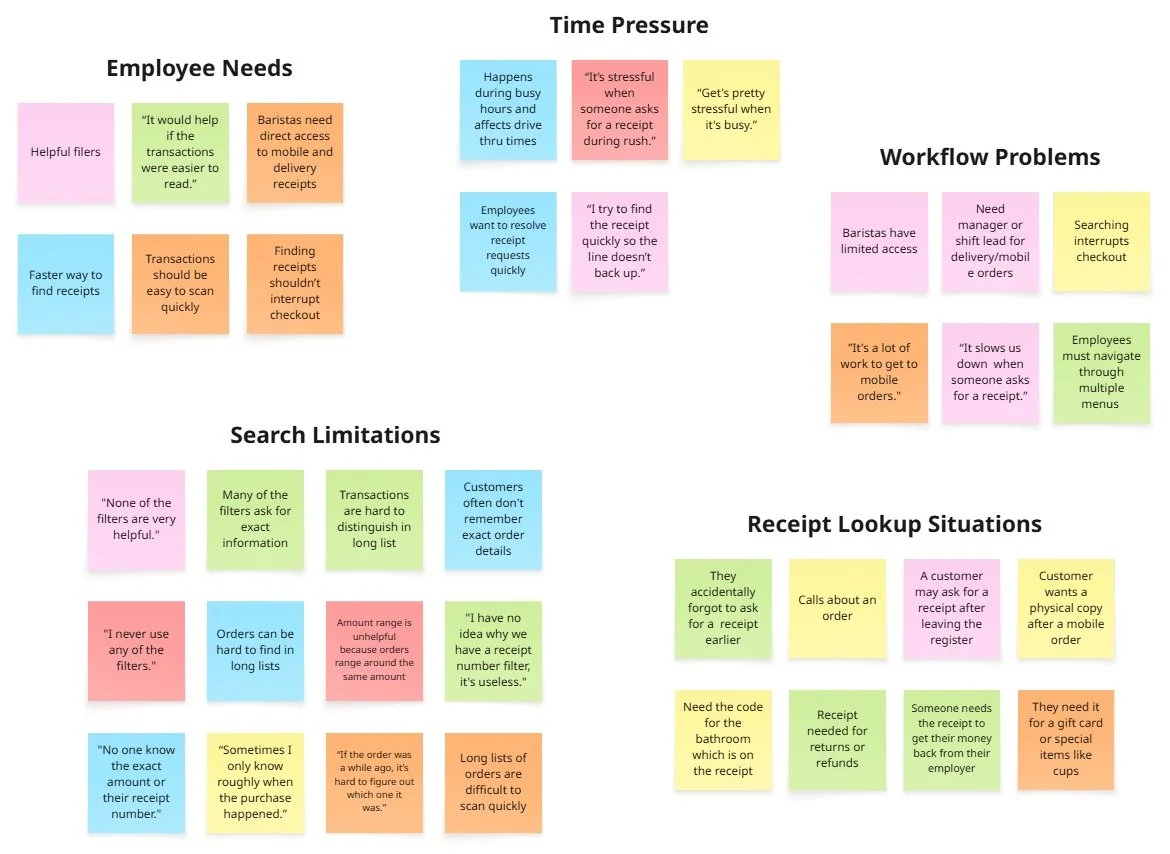
Digital Version of Affinity Diagram
User Research & Discovery
PERSONAS
Empathizing with the Target Users
To better understand the target users, I created fictitious personas so that I can jump into the users' shoes and truly understand their needs, wants, thoughts, and priorities. These personas helped guide the redesign by focusing on employee goals, frustrations, and workflow needs.
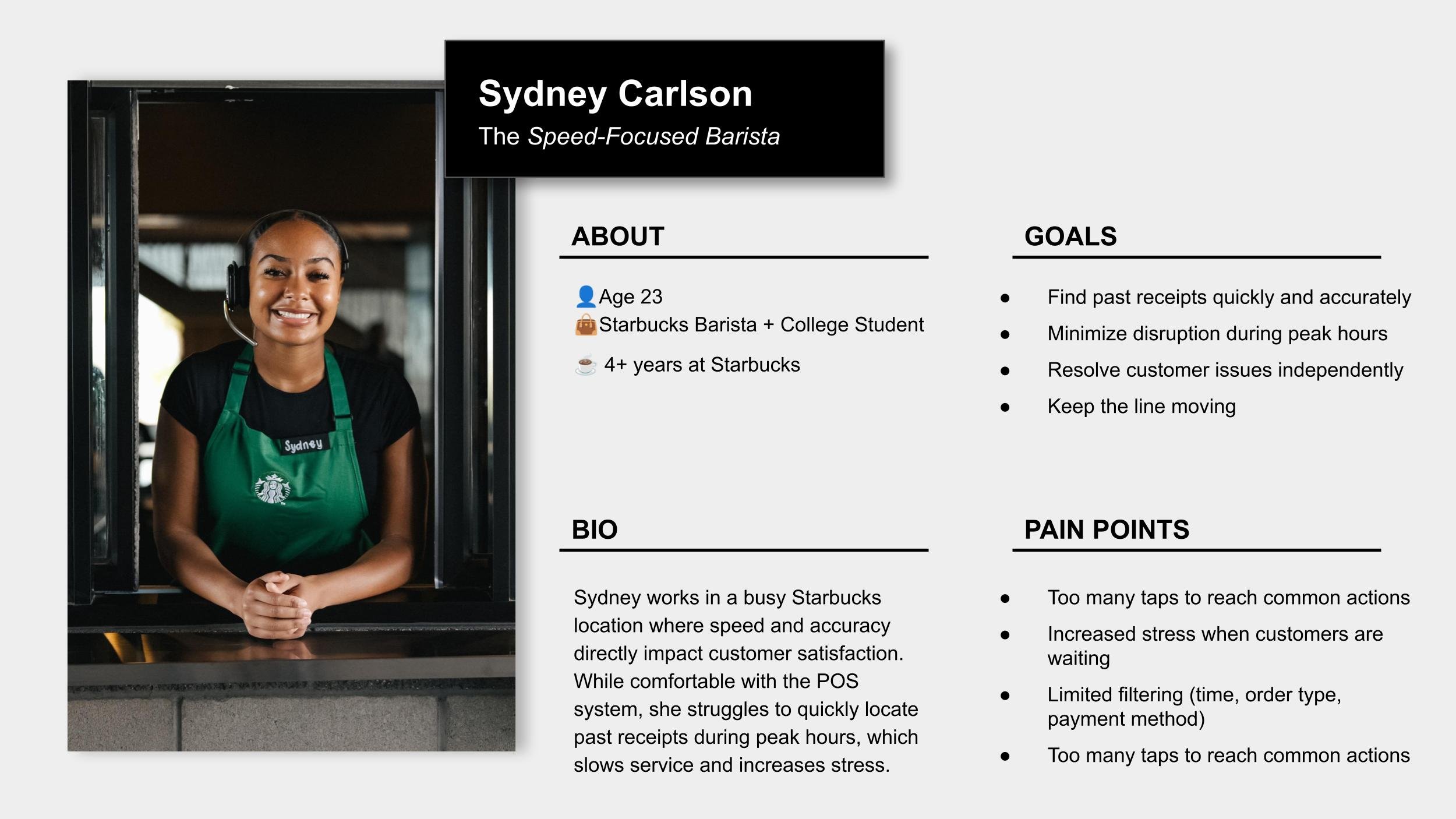
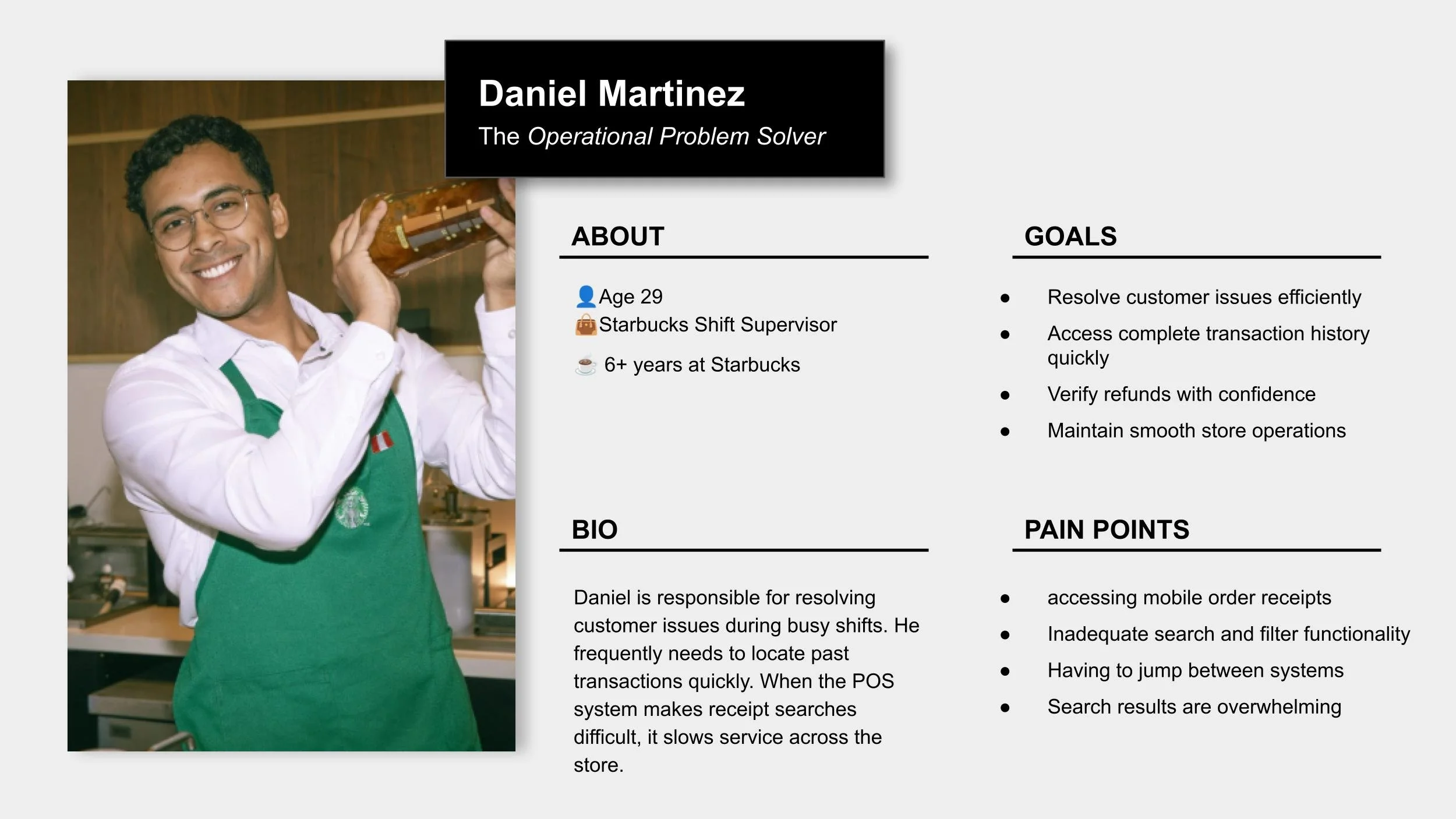
Pain Points
1
Interrupts workflow
Employees must navigate away from the main POS interface and move through multiple menus to find past transactions, slowing down service.
Receipt lookup interrupts the checkout workflow
Employees must navigate away from the main POS interface and move through multiple menus to find past transactions, slowing down service.Transactions are difficult to locate with limited information
Customers often do not remember exact purchase details, making it harder for employees to identify the correct transaction.Busy store environments increase pressure
Receipt requests frequently occur during peak hours, when employees feel rushed and need to resolve issues quickly.Employees need faster access to transaction history
Baristas want a simple way to quickly locate and reprint receipts without interrupting the checkout process.
User Research & Understanding Takeaways
2
Time-consuming
Employees must navigate away from the main POS interface and move through multiple menus to find past transactions, slowing down service.
3
Hard to identifyEmployees must navigate away from the main POS interface and move through multiple menus to find past transactions, slowing down service.
4
High-pressure
Employees must navigate away from the main POS interface and move through multiple menus to find past transactions, slowing down service.
BRAINSTORMING
Exploring Solution(s)
Based on insights from user interviews and affinity mapping, 3 key opportunities emerged to improve the receipt lookup experience.
1. Transaction Filters
Introduce more useful filters that allow employees to quickly narrow down results. Improved filters include: today, time range, custom date, payment method, and order type. These new filters create clear and scannable transaction lists that make it easy to identify orders quickly.
The Previous and Next buttons were moved to a more visible location within the interface. Placing the buttons in a more prominent location improves visibility and allows baristas to quickly navigate between transaction pages without scrolling through long lists of orders.
Current filter UI

↓
Redesigned filter UI

Low-Fidelity Prototypes
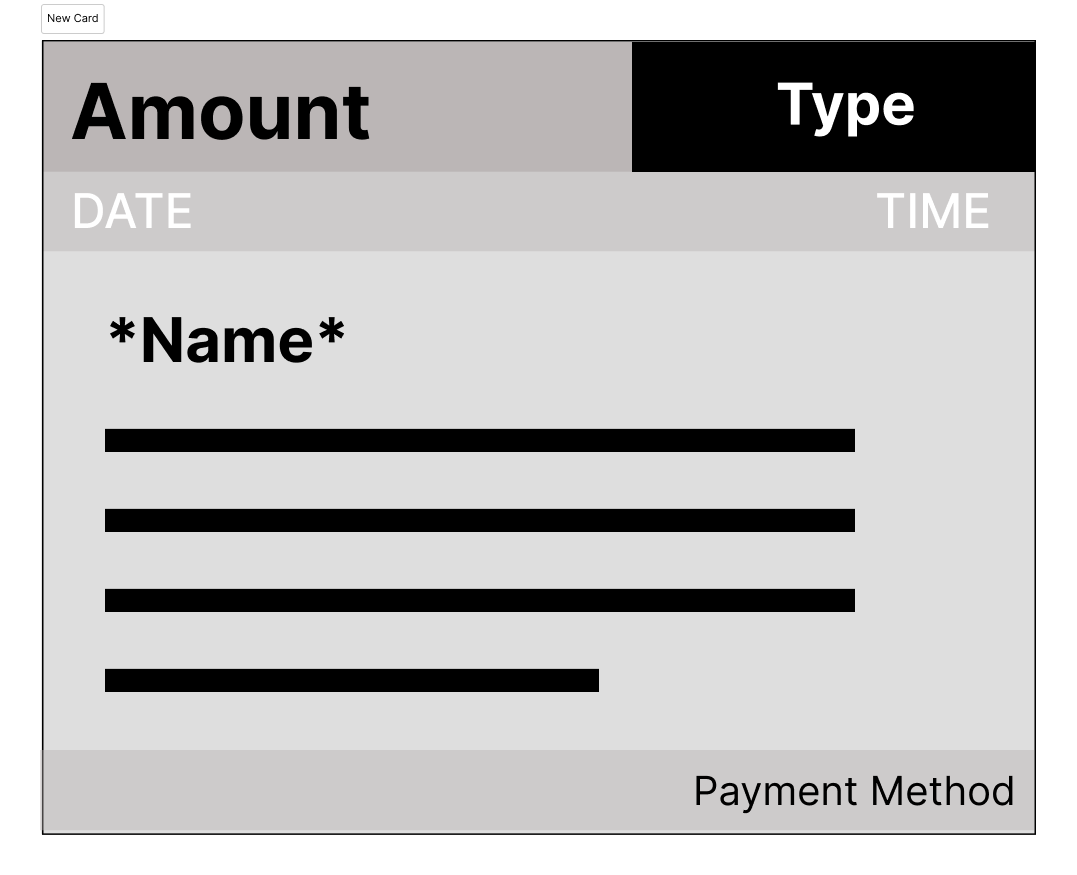
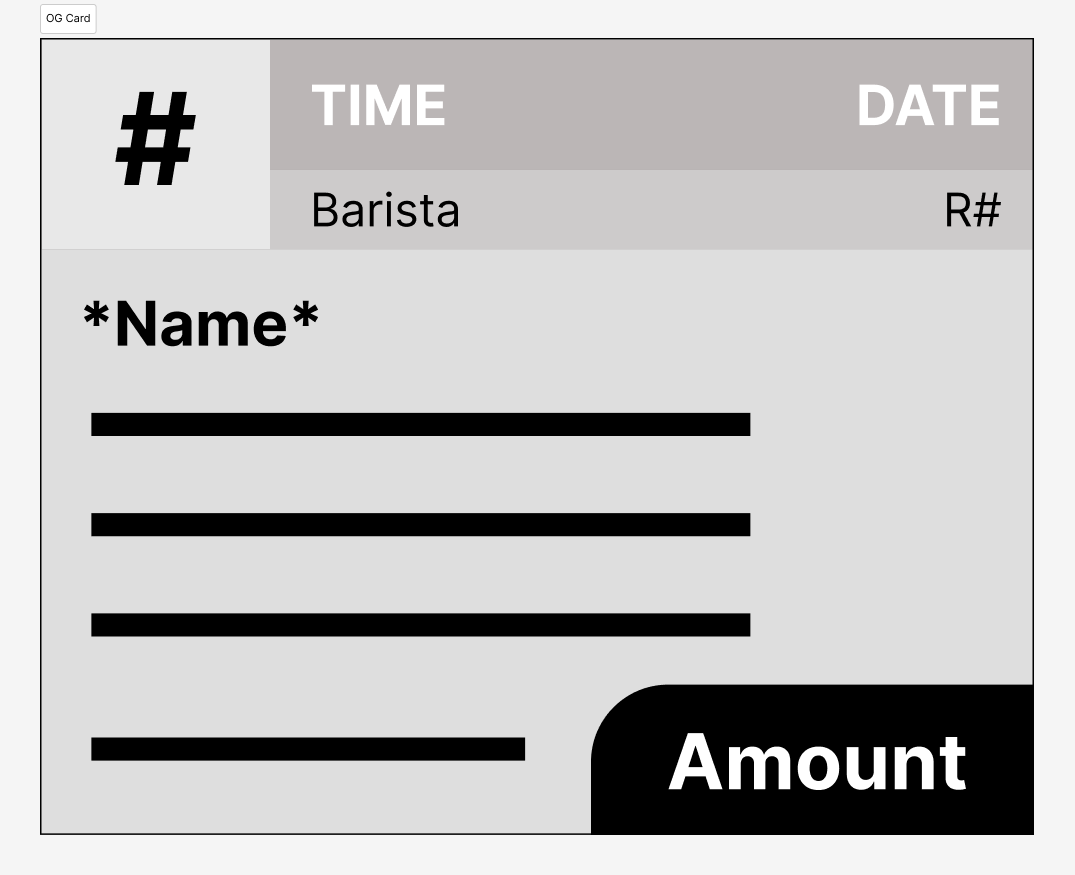
2. Redesigned Transaction Cards
Introduce more useful filters that allow employees to quickly narrow down results. Improved filters include: today, time range, custom date, payment method, and order type. These new filters create clear and scannable transaction lists that make it easy to identify orders quickly.
The Previous and Next buttons were moved to a more visible location within the interface. Placing the buttons in a more prominent location improves visibility and allows baristas to quickly navigate between transaction pages without scrolling through long lists of orders.
→